
Ten years of shoving tools into production pipelines has taught me one thing: “revolutionary” usually just means more config overhead. I didn’t buy the “Claude has superpowers” hype at first. Most AI plugins are just glorified system prompts. They fall apart the second you hit a real-world edge case. One sprint sticks out: we were migrating a legacy authentication module under a tight deadline, and the team lead had brought in an AI pair-programming tool pitched as handling cross-file refactors autonomously. It started confidently rewriting method signatures. Looked clean on the first pass. Then we found it had renamed a function in three places and missed it in a fourth. The only way we caught it before the release was a manual grep for the old name. That was exactly the kind of work the tool was supposed to eliminate.
Things changed once I moved my local dev into Claude Code and layered on the Superpowers framework. Let’s be clear: this isn’t about the AI getting “smarter” in some vacuum. That’s a distraction. This is about forcing engineering discipline on a tool that’s naturally lazy and prone to hallucinating.
What Is the Claude Superpowers Framework?
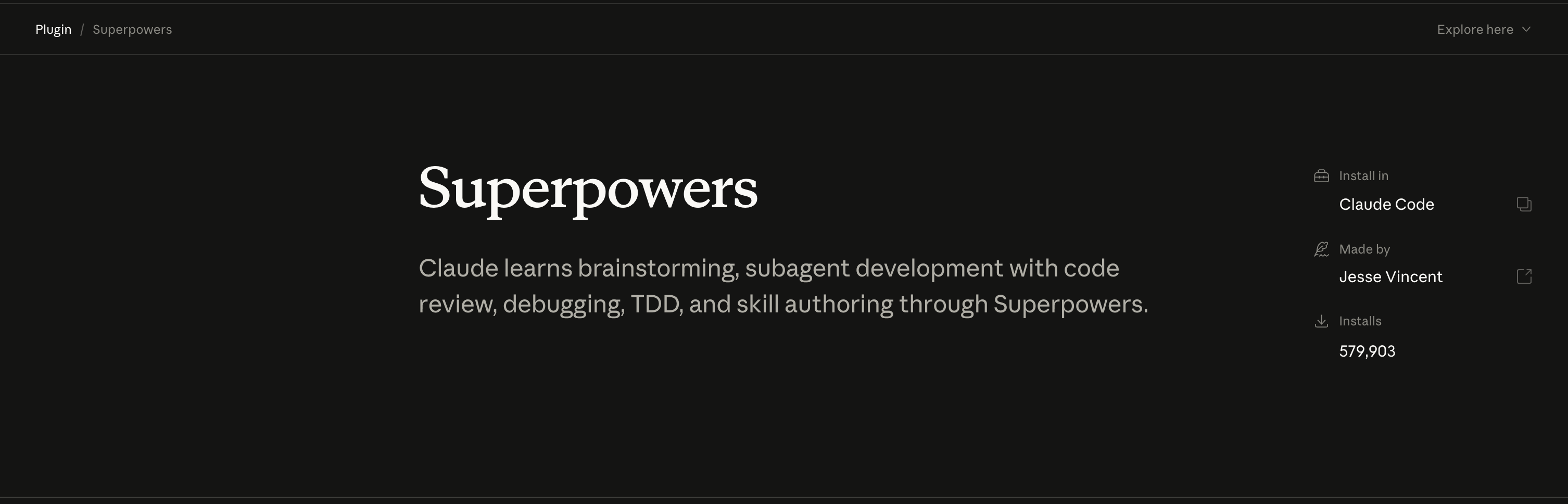
The Claude Superpowers framework is a free plugin for Claude Code. Anthropic’s official CLI for AI-assisted development, that enforces a structured development methodology on the AI agent. Where vanilla Claude Code responds to prompts without guardrails, Superpowers locks the agent into three hard constraints: it cannot write implementation code before a failing test exists (test-driven development), it cannot guess at bug fixes without first completing a four-phase root cause investigation, and it cannot start building before requirements are fully specified through a Socratic questioning process. The result is an AI coding agent that behaves less like an autocomplete engine and more like a disciplined senior engineer.
How to Install Claude Code and the Superpowers Plugin
You can’t just jump into the Superpowers layer without the base environment. Most people trip up here, and it’s usually because their local setup is a mess. Use Node.js 18 or higher. Period. If you’re clinging to an old LTS version, the installation will fail. You’ll also need an Anthropic API key and a real terminal, macOS Terminal.app or WSL2 on Windows.
Installation is simple. Just run this to get the base CLI active:
npm install -g @anthropic-ai/claude-code
Check your version with claude --version. If you see “command not found,” you’ve hit the usual npm global bin PATH nightmare. Your shell is blind to where the binaries live. Fix your .zshrc or .bashrc before you try anything else. I lost close to an hour to this on a fresh laptop setup last year. The install had completed fine, I typed claude, got nothing. Reinstalled twice. Switched Node versions. Started writing a Stack Overflow question. Eventually I realized I had never run source ~/.zshrc after adding the export line. The config was correct the entire time. I just hadn’t loaded it. Three words. Forty-five minutes of debugging.
Now for the Superpowers plugin. This isn’t some trivial feature toggle. It’s a complete override of how Claude thinks. It stops just spitting out code and actually starts following a real process.
claude plugin install claude-plugins-official/superpowersAfter the install, confirm it’s active:
claude plugin listsuperpowers should appear in the output. If it doesn’t, check that you’re on Claude Code 1.x or later before chasing anything else.
The Superpowers Framework: Engineering Disciplines
Forget the “intelligence” hype. The real value of Superpowers is the constraints it enforces. Vanilla LLMs love jumping straight to the solution, which usually triggers a “hallucination sprint”, ten prompts wasted trying to fix a bug the AI created in the first prompt.
It solves this by forcing a strict red-green-refactor cycle. In this workflow, the plugin requires a failing test before any implementation code is written. Period. This stops the AI from shipping code that looks correct but crashes in production. I had Claude write a data-pipeline sorting utility without this constraint once, and the output was genuinely clean, typed, well-structured, looked like something a senior dev would ship. Passed my sanity check. Pushed it. Two days later the pipeline started silently dropping records because the function couldn’t handle null values in the input array. The model had assumed clean data because I’d described it as a “sorted list.” Without a failing test to prove that assumption wrong, nothing caught it before it hit live data.
Debugging works with the same level of rigidity. No more “try this, then try that” guessing games. The framework forces the agent through root cause investigation, pattern analysis, and hypothesis testing before it touches a single line of code. My favorite part is the circuit breaker: if the agent fails to fix the bug after three attempts, it triggers a mandatory architectural review. It’s the only way to stop the AI from digging a deeper hole by applying desperate patches to a fundamentally broken design.
Planning happens via the /brainstorming command. Instead of just saying “build me a login page” and hoping for the best, the agent shifts into a Socratic mode and asks clarifying questions about requirements and design. It ensures the specs are locked in before the implementation even starts.
Then there’s the subagent layer. Writing code and praying it works isn’t a strategy. Superpowers uses a dedicated code-reviewer agent to evaluate the output against architectural principles and coding standards. It’s essentially a simulated peer review before the code ever hits your main branch.
What’s New in Superpowers 5: Visual Brainstorming and Batch Execution
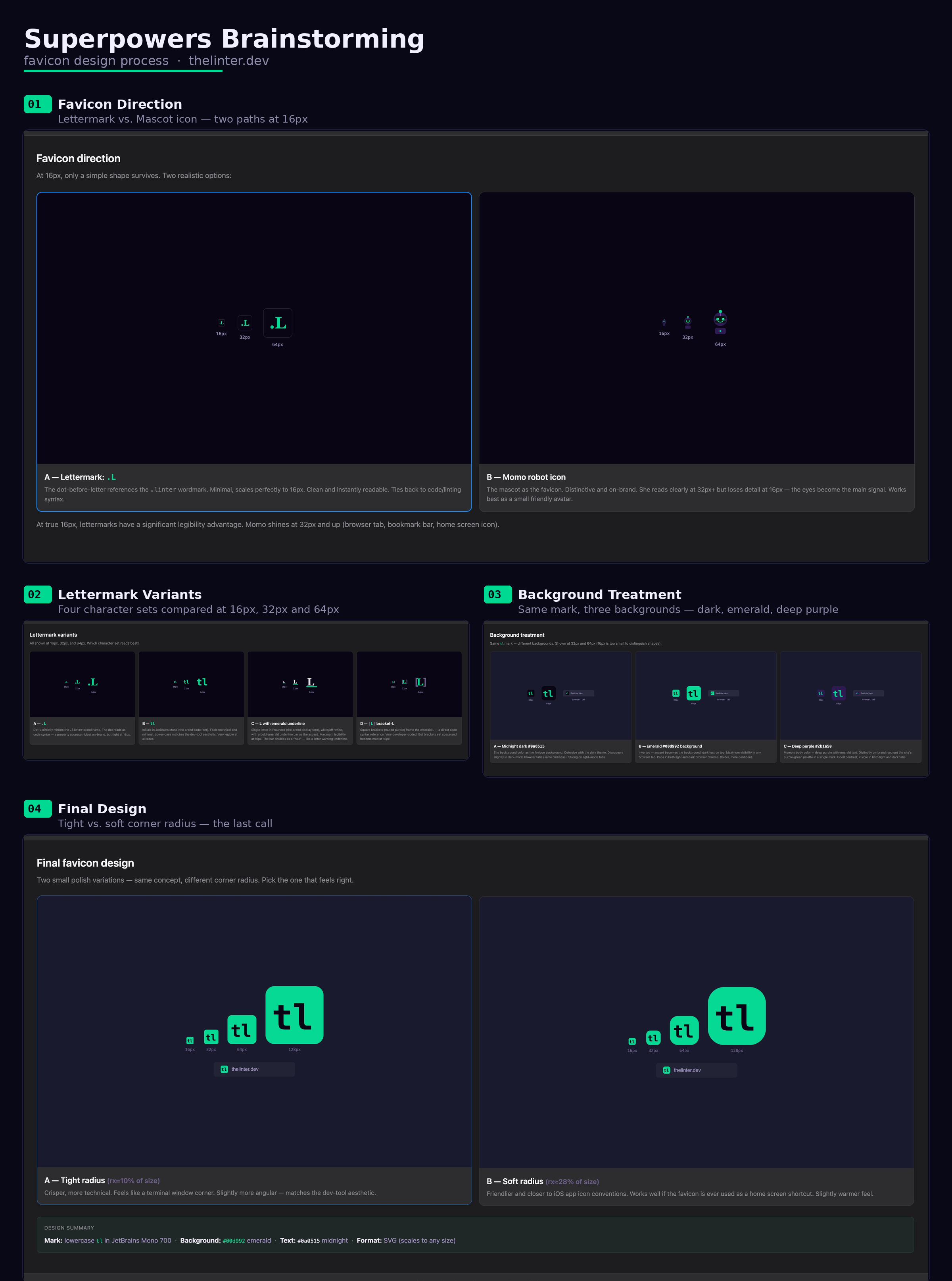
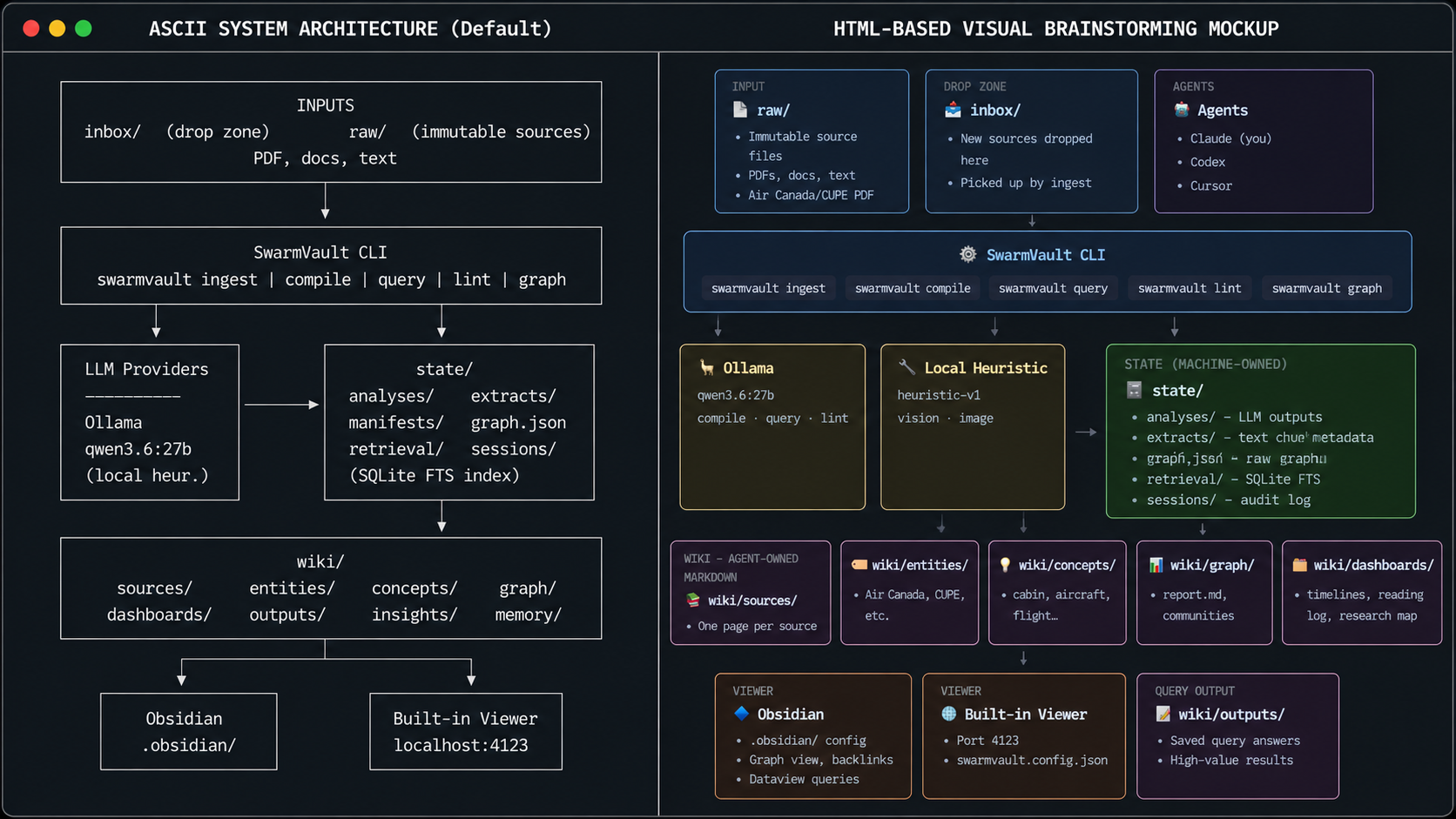
Superpowers 5 finally kills the ASCII art. If you’ve tried to build a UI with Claude, you’ve probably spent half your time squinting at a “layout” made of pipes and dashes. It’s useless for actual UX design. I once had Claude sketch out a dashboard layout for a client using its default text-art output and sent it to a contractor as a reference. He interpreted the “sidebar panel” in the ASCII grid as a fixed full-height overlay because the character width made it look dominant on the page. I meant a collapsible element taking up maybe fifteen percent of the screen. We only figured that out during the review demo, after he’d already written the CSS. That was half a day of avoidable rework from a mockup nobody could actually read.
Now we have Visual Brainstorming. Instead of text-art, the agent spits out HTML mockups and tells you to open a local URL. You get actual diagrams and mockups in a browser. It’s a massive upgrade, but it’s a token hog. Don’t be surprised when the system asks for confirmation before firing this off. It’s trying to save your quota.
Stop confirming every single file change. That’s where /execute-plan comes in. You can now run batched implementation plans that actually make sense. The agent pauses at review checkpoints to make sure the code matches the plan before moving on, which saves you from having to babysit every single line.
If you need to extend the tool, use the writing-skills module. You can author your own skills here. The best part? It forces TDD on the documentation. Your new skill has to be tested and documented before it ever hits your workflow. No more guessing how a custom skill is supposed to behave.
Vanilla Claude Code vs. Superpowers: Real Benchmark Results
Here’s what the gap actually looks like in practice.
If you want to know the actual ROI, stop looking at raw speed and look at the delta between “prompt-and-pray” and structured implementation. I put both to the test on a mid-sized feature: a multi-tenant permissioning system with complex role inheritance.
Vanilla Claude Code is a trap. It feels fast, but it’s fragile. I prompted the requirements, it spat out the code, and I spent the next hour firefighting regressions. That’s the problem with “prompt-and-pray”, you get a burst of initial velocity followed by a long, miserable tail of debugging.
Sure, the Superpowers-enhanced workflow starts slower. You’ve got to sit through the /brainstorming phase and wait for the TDD cycle to fail the first test. But the actual implementation is seamless. Since the tests are written first, the regression rate disappears.
The clearest example I can give you is a discount calculation module I built for an e-commerce client. Claude wrote the logic, it passed my manual tests, looked mathematically correct. The edge case nobody wrote a test for was stacking a percentage discount on top of a flat coupon code. In that combination, the order of operations produced a negative subtotal. The client found out when a customer called asking why their cart showed a refund before they’d paid anything. A single integration test covering combined discount types would have caught it before anyone saw it.
Then there’s the communication gap. I wasted half a dozen prompts trying to explain why a certain UI layout felt “off” in the vanilla version. With Superpowers 5, the agent just generated an HTML mockup, I pointed to the exact element in the browser, and it fixed it in one shot.
Where this really pays off is debugging. Vanilla AI just guesses. It sees an error, suggests a fix, and when that fails, it suggests another. It’s a game of whack-a-mole where fixing one bug creates two more. Superpowers’ four-phase methodology forces a pause. By demanding a root cause investigation first, it actually solves the problem instead of masking it.
Integrating the High-Performance Tool Stack
Superpowers is a framework, not a magic bullet. It works best when you plug it into a vetted toolchain. Here’s the pipeline I use to stop wasting time between the first idea and a live deployment.
Once Superpowers spits out a functional HTML mockup via Visual Brainstorming, I move straight to the Frontend Design plugin. Superpowers is great for logic and structure, but it’s not a designer. I use Frontend Design to polish the CSS and kill the “generic AI look” before the code ever hits a staging environment.
Early on I handed a client a landing page built entirely from a raw Claude prompt, no polish pass, just the output as-is. The layout was structurally correct, but the typography was flat, the buttons looked like default browser styles, and there was no visual weight anywhere on the page. His feedback was “it looks like a template from 2019.” I ran it through the Frontend Design plugin, tightened the hierarchy and spacing, and sent it back the same afternoon. He signed off without changes.
To stop the agent from hallucinating outdated API methods, I use the Context7 MCP server. It forces Claude to pull version-specific documentation and code examples from source repos in real-time. Superpowers handles the how of the implementation; Context7 provides the what by feeding it actual, current data.
This matters more than it sounds. I was scaffolding a Firebase authentication flow and asked Claude for the relevant SDK methods. It came back with firebase.auth().signInWithPopup(), deprecated when Firebase moved to v9 modular imports. My local environment had the older SDK cached, so the code ran fine in development. In staging, with the current SDK version, it threw module errors on every call. I spent three hours tracing the failure before I realized the model had trained on pre-v9 documentation and was serving patterns two major versions out of date.
Don’t trust the subagent blindly. I run the Code Review tool as a second, independent audit to catch security vulnerabilities that the primary agent missed. It’s a necessary sanity check.
Then there’s the grunt work. When I’m cleaning up a legacy codebase, I use claude-combine. The /build-fix command is a lifesaver for knocking out type errors across a massive TS/JS stack. It’s the only way to resolve a thousand compiler warnings without losing your mind.
Is the Claude Max Plan Worth It for Superpowers?
Let’s talk money. Moving from Pro to Max is a steep jump: you’re looking at $100/month for Max 5x or $200/month for Max 20x.
It’s basically a tax on interruptions. Pro is fine for casual coding, but the moment you touch Visual Brainstorming or run complex subagent reviews, you’ll hit a wall. Max gives you the headroom to actually work without “limit reached” messages killing your flow.
I was deep into debugging a race condition in a distributed job queue, an intermittent one that only showed up under concurrent load, when the session hit the usage limit. I had been feeding the model stack traces and narrowing down hypotheses for the better part of two hours. The context just stopped. New session. Re-explain the full problem from scratch. Re-paste the relevant traces. Restart the investigation. I found the fix the next morning in about twenty minutes once I had the full headroom to work. The limit didn’t stop me from solving the problem. It just made me solve it twice.
You also get a unified bill for both the web interface and the Claude Code CLI. More importantly, priority access to new models isn’t a luxury; it’s a requirement. In this field, a single model update is often the difference between a tool that fumbles a complex regex and one that nails it on the first try.
If $200 a month saves you just two hours of debugging, it’s a no-brainer. Factor in the lower regression rate from TDD enforcement, and the ROI is obvious. You aren’t paying for “more AI.” You’re paying for the ability to use the tool’s most disciplined settings without worrying about the meter.
Frequently asked questions
Claude Superpowers is a free plugin for Claude Code that enforces TDD, systematic debugging, and Socratic planning on the AI agent—preventing it from writing implementation code before a failing test exists.
Vanilla Claude Code responds to prompts with no process guardrails. Superpowers imposes hard constraints: no code before a failing test, no bug fix before a root cause investigation, no implementation before a planning phase. The output quality is higher and the regression rate is substantially lower.
Install Claude Code with `npm install -g @anthropic-ai/claude-code`, then run `claude plugin install claude-plugins-official/superpowers`. Confirm with `claude plugin list`.
The plugin itself is free. However, heavy use of its advanced features—especially Visual Brainstorming and multi-agent code review—will push you past the Pro tier's token limits, making the Max plan a practical requirement.
Visual Brainstorming generates real HTML mockups you open in a local browser instead of ASCII art. It's useful for UX discussions and client reviews where text-based layouts cause miscommunication.
The agent follows strict red-green-refactor: it must write a failing test before writing any implementation code. It cannot skip this step.
For serious daily use, yes. The Pro tier hits token limits quickly once you run Visual Brainstorming or multi-agent reviews. Max gives you uninterrupted sessions and priority access to the latest Anthropic models.
Your npm global bin directory isn't in your PATH. Add it to your `.zshrc` or `.bashrc` and run `source ~/.zshrc` to reload.
Yes. The writing-skills module lets you author and test custom skills using TDD principles—both the logic and the documentation must pass tests before the skill is considered done.