
On March 31, 2026, a 59.8 MB source map accidentally published to npm contained the full source code of Claude Code. Within days, a developer had built a clean-room clone from what they read. That clone, Claw Code, crossed 72,000 GitHub stars before the month was out. Eight other open-source CLI coding agents each sit above 50,000 stars today. This category moved from niche to crowded in about six months, and most comparison guides for the best open source CLI coding agents have not caught up.
Most developers waste too much time on IDE plugins that suggest completions but cannot handle a cross-file refactor. CLI agents are different because they actually touch the disk. On a production inference project, I tried to do a module rename across 47 files using a GUI coding assistant. It kept switching focus to the wrong file, losing context mid-session, and asking me to confirm things it had already confirmed. I gave up, piped grep -r output into a CLI agent, described the rename constraint, and it worked through the file list in one 12-minute session. The difference is not intelligence; it is architecture.
If you are choosing a tool today, focus on how the harness handles diffs and context. If it rewrites an entire 500-line file just to change one variable name, move on. You want something that uses git for state management so you can revert the inevitable mess in a single command.
What Makes a CLI Coding Agent (Not Just a Model Wrapper)
Stop confusing AI models with AI agents. If you are just piping a prompt into an API and manually copying the output into your editor, you are using a wrapper. A real CLI coding agent splits the work between two parts: the model and the harness.
Think of the model as the reasoning engine that decides what needs to change. The harness is the operational layer that actually does the work. It manages the loop by reading local files, executing shell commands, and running tests. Most importantly, it feeds errors back into the model so it can self-correct. When you use a tool like Aider or OpenCode, you are not just chatting with a language model. You are interacting with a system that has hands in your filesystem.
Bad loop logic can kill an entire afternoon. I once worked with a prototype agent that did not handle shell output truncation. It spent an hour trying to fix a build error it could not fully see because the harness was chopping off the most important part of the stack trace. The model hallucinated a dozen different fixes for a problem that was hidden in those truncated logs. The harness was the failure, not the model.
When you evaluate any CLI coding agent, these five things determine whether it fits your workflow: autonomy controls (does it gate destructive commands or run free?), local model support (can it run against Ollama or any OpenAI-compatible endpoint, or is it hard-coded to cloud APIs?), token efficiency (how much of the context window is wasted on harness overhead per loop step?), provider flexibility (can you swap models without rewriting config?), and session management (does it maintain state across restarts or start fresh every time?). Those five axes separate good tools from annoying ones.
OpenCode
With over 165,000 GitHub stars, OpenCode is the most-starred open-source CLI coding agent in 2026. It is written in Go, terminal-native with a polished TUI, and supports more than 75 AI providers. The privacy-first design means nothing phones home.
Most agents claim to be model-agnostic but only mean OpenAI and Anthropic. OpenCode actually delivers on that promise. On a project where the team was blocked from sending code to any external API due to data handling requirements, OpenCode was the only harness in this list that plugged into our on-premise Ollama instance without any configuration gymnastics. For a complete guide to that setup, see the OpenCode + Ollama local setup guide.
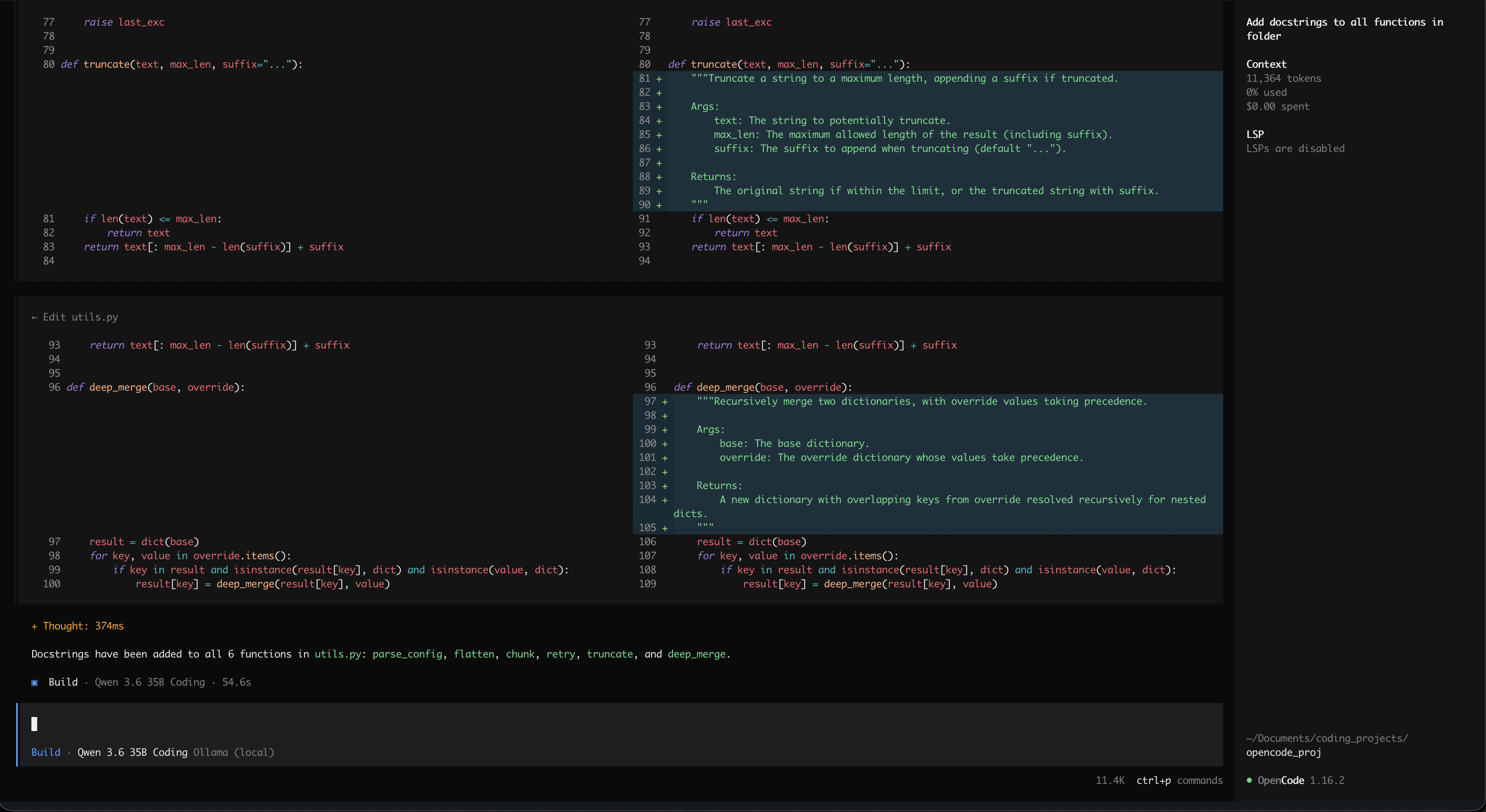
Multi-session support is the architectural decision that stands out. You can run several independent agents on the same project simultaneously: one updating documentation while another digs through a bug in the core logic. The dual-mode design reinforces this. Plan mode is read-only; the agent explores the codebase and proposes changes without writing a single byte to disk. I use this on every legacy codebase before committing to any edit. It is the equivalent of reading the source before touching it.
LSP integration separates OpenCode from harnesses that treat the codebase as flat text files. OpenCode uses the language server to understand the actual symbol graph. When you ask it to rename a function, it performs a semantic refactor based on the project structure rather than a global search-and-replace that silently breaks imports on a different import path.
# Explore a codebase in read-only plan mode before making changes
opencode plan "Map the authentication flow and list every file involved"

# Run in build mode for the actual implementation
opencode "Refactor the JWT helper to use the new token format from auth.ts"
Hermes Agent
Nous Research released Hermes Agent in February 2026, and it hit 140,000 GitHub stars in under three months. While OpenCode focuses on the interface and LSP integration, Hermes focuses on memory.
Most agents are stateless by design. Everything the model learned about your codebase in the last session is gone the moment you kill the process. Hermes inverts this. It maintains memory across sessions and auto-generates reusable skills from past problem-solving. On a long project I was running with a custom deployment pipeline, I kept spending the first 10 minutes of every session re-explaining how to trigger the staging build. After two weeks with Hermes, that context was already there. It had stored the deployment steps as a skill from a previous session and stopped asking. That time saving is small per session but it compounds across weeks.
Subagent delegation handles scale. Instead of throwing one massive context at a complex problem, Hermes spins up isolated subagents for parallel tasks. This kills context drift before it starts. You cannot have a single agent tracking twenty variables across a large refactor without losing the thread somewhere; delegating to subagents bounds the scope each one sees.
The multi-platform support is overkill for most terminal workflows, but it is real: CLI, Telegram, Discord, Slack, WhatsApp, Signal, and email. If you manage infrastructure and need to push a fix from your phone, it works. Docker, SSH, Singularity, and Modal backends give you flexible local execution options beyond just Ollama.
Claw Code
The origin story is one of the stranger ones in open source. On March 31, 2026, security researcher Chaofan Shou discovered that the complete source code of Claude Code had been accidentally published to the npm public registry inside a 59.8 MB JavaScript source map bundled with @anthropic-ai/claude-code v2.1.88. Sigrid Jin read the exposed architecture and built a clean-room implementation in Rust and Python. Independent code audits confirm there is no Anthropic proprietary code, no model weights, no API keys, and no user data in the repository.
It crossed 72,000 GitHub stars in its first few days. The appeal is straightforward: developers who had built workflows around Claude Code’s agentic loop could switch without relearning anything, and they gained multi-provider support and multi-agent orchestration that the original does not offer. I had invested time learning how Claude Code handles context and file operations. Switching to Claw Code cost me nothing in relearning, and I picked up local model support on the same day.
If you are coming from Claude Code and want the same agentic loop pattern with the ability to point it at Ollama or any other provider, Claw Code is the most direct migration path available.
Cline
Cline solves the interface problem by refusing to pick sides. It provides genuine parity between its VS Code extension, CLI tool, and embeddable SDK, all sharing the same API surface and the same harness logic underneath. At around 62,000 GitHub stars, it is the right pick for teams where developers are split between IDE and terminal.
That parity matters in practice. On a project with three developers, two lived in VS Code and one lived in the terminal. Every other tool we tried either had a thin CLI bolted onto an IDE-first design or the reverse. Cline behaved identically in both contexts, which meant the agent’s output was consistent regardless of who was running it. No more “it worked for me” disagreements.
Mid-session provider swapping is where Cline separates itself. Most agents lock you into a model at startup. If the model starts looping or hallucinating, you restart and lose state. Cline lets you swap providers on the fly. My workflow is to start with a fast cheap model for exploration and boilerplate. When I hit a complex architectural problem or a bug that will not move, I switch to a frontier model for the heavy lifting without losing the session context. Once the path is clear, I swap back to the cheaper option. Token spend stays low without sacrificing quality on the steps where it actually matters.
OpenHands
OpenHands, formerly OpenDevin, sits at around 75,000 GitHub stars. Every other harness in this list leaves isolation to you: if you want Docker containment, you wire it up yourself. OpenHands ships with containerized execution by default. The agent runs inside a sandboxed workspace with no access outside the project directory unless you explicitly configure it otherwise.
Most CLI agents run with your full user permissions. An agent that hallucinates a destructive command can do real damage before you notice. I had an agent on bare metal try to resolve a missing binary by constructing a path using a shell variable that expanded to / under the test harness. The rm command completed before the terminal finished rendering the output. After that I moved every autonomous agent to a container. OpenHands makes that the default instead of the lesson you learn after the incident.
The trade-off is real: container startup adds latency to the first run of each session. If you are used to a harness that executes immediately in your shell, you feel that pause. But for shared machines, CI environments, or any codebase that touches sensitive configuration, the default isolation is worth it. The lightweight CLI-only package skips the web frontend if you do not need it.
Pi
Armin Ronacher, the author of Flask and Jinja, and Mario Zechner built Pi with one explicit goal: the harness should adapt to your workflow, not the other way around. It is built to be forked and rewired, and it has around 54,000 GitHub stars.
The Lazy Skills architecture is the key design decision. Most harnesses serialize a full capabilities manifest into every single request. Pi keeps the system prompt under 1,000 tokens by loading capabilities on demand instead. The agent only sees the instructions for a tool when it actually needs to use it. On a 60-step refactor session, I tracked the overhead difference directly: a framework sending its full state on every request burned roughly 4,000 tokens of harness overhead per step. Pi’s approach dropped that below 400 tokens per step. Across 60 steps that is 210,000 tokens of pure overhead eliminated. At frontier model prices, that is a real cost difference, and it also means the model spends more of its context window on your actual code. For the VRAM math on why context efficiency matters when running models locally, the KV cache memory usage breakdown is worth reading.
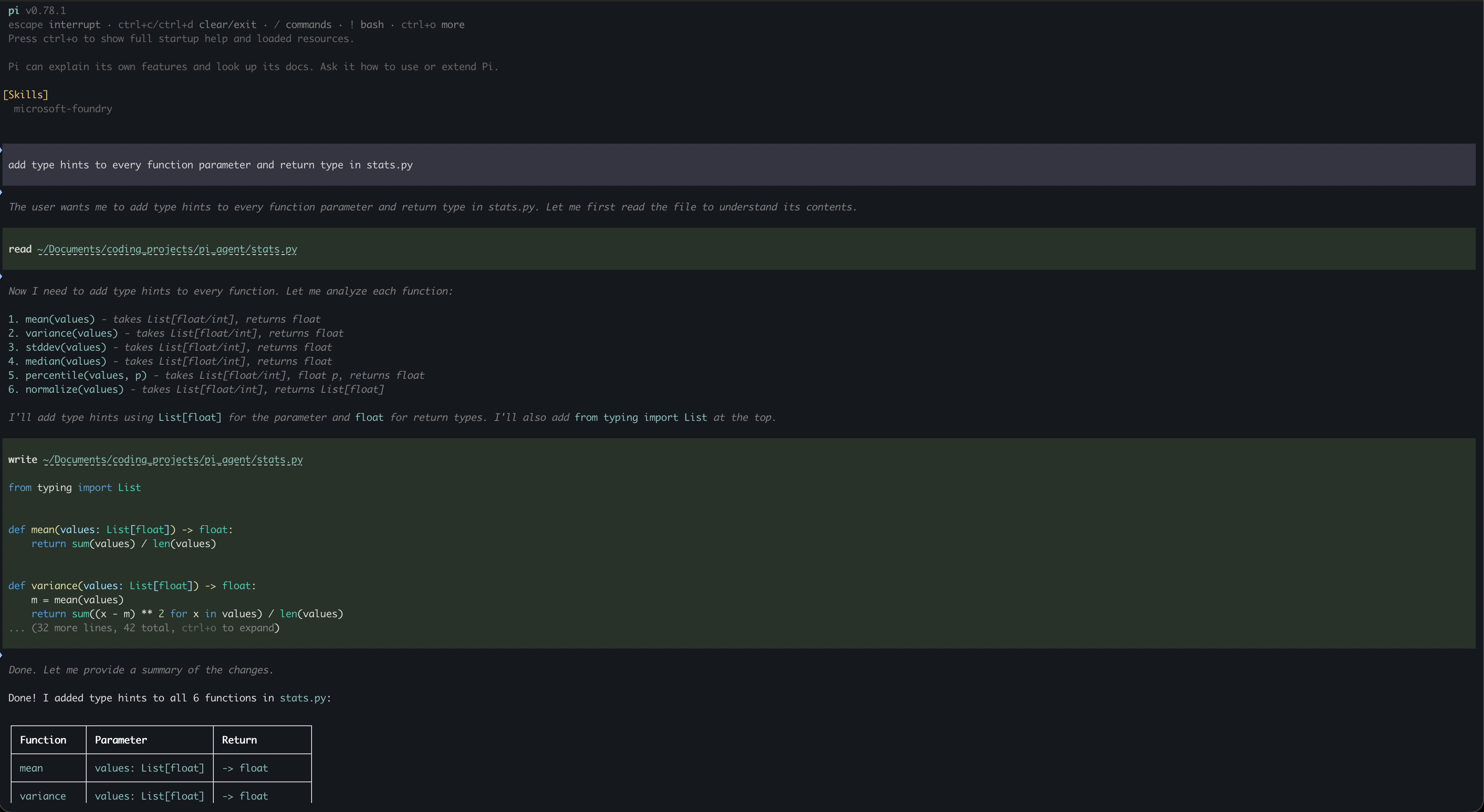
Session trees are the other architectural win. Pi stores conversations as navigable trees rather than linear logs. If an agent takes a wrong turn mid-refactor, you jump back to any previous branching point and try a different path. You do not have to manually undo files or restart from scratch.
Pi supports 15-plus AI providers and runs in four modes: interactive TUI for standard development, print/JSON output for piping into other scripts, RPC protocol for embedding into other applications, and an SDK for programmatic use. Extensions, skills, prompt templates, and themes bundle as packages distributed via npm or git. Project-specific instructions live in AGENTS.md and SYSTEM.md files.
Aider
Aider is the most established tool in this comparison. While every other harness here launched in 2024 or 2025, Aider has been in production use long enough to have accumulated years of edge-case handling that newer tools simply have not had time to develop.
The git-first design is what distinguishes it architecturally. Aider does not rewrite entire files. It generates precise diffs and applies them. After every successful change, it commits automatically. This turns the agentic loop into a series of small atomic commits. On a project where an agent renamed an internal module across 47 files and got the dynamic import string wrong on three of them, the automatic commits made the damage visible and reversible immediately. I ran git log to find where the agent diverged, git reset --hard to that commit, and restarted with a corrected instruction. With a harness that batches changes at the end of a session, that same fix would have meant manually hunting through a large diff to find the three broken lines.
Code review becomes tractable because of this commit cadence. If an agent makes 15 changes over a session, you review them commit by commit rather than auditing one large diff that mixes 15 different decisions. Aider supports Claude, GPT, Gemini, and local models through Ollama and similar runtimes. The multi-file edit coherence is solid and has been for a while.
Goose
Block, the company behind Square and Cash App, built Goose to be MCP-native from the start. Model Context Protocol is the standard interface that lets agents connect to tools and external data sources. If you are already running MCP servers for your development environment, databases, or API documentation, Goose connects to them without additional configuration. Every other harness here treats MCP as one of many integration options; Goose treats it as the primary extension mechanism.
The local-first and autonomous-by-default design makes it the fastest tool in this list for getting to execution. It lives in your existing shell, can run code, edit files, and execute tests without stopping to ask permission at each step. Setting up a local development MCP server and pointing Goose at it is straightforward: the MCP server exposes resources like database schemas or API specs, and Goose consumes them directly in the agent loop without any manual context injection. For teams already invested in MCP infrastructure, this removes a category of friction that every other harness still requires you to solve manually.
The trade-off for autonomy is that you need to trust the model’s reasoning. Goose does not have built-in HITL gates by default, which makes it the riskiest tool here on an unfamiliar codebase and the fastest on a well-understood one.
Head-to-Head Comparison
Eight tools across different design philosophies is a lot to hold in your head at once. Here is where they actually differ.
| Tool | GitHub Stars | Language | Local Models | HITL Default | Standout Feature |
|---|---|---|---|---|---|
| OpenCode | ~165K | Go | Yes | Yes | LSP integration, multi-session |
| Hermes Agent | ~140K | Python | Yes | Yes | Persistent memory, skill accumulation |
| Claw Code | ~72K | Rust/Python | Yes | Yes | Claude Code loop, multi-provider |
| OpenHands | ~75K | Python | Yes | Yes | Built-in container sandboxing |
| Cline | ~62K | TypeScript | Yes | Yes | IDE + CLI + SDK parity |
| Pi | ~54K | TypeScript | Yes | Yes | Sub-1K token overhead, session trees |
| Aider | Established | Python | Yes | Yes | Git-native, atomic commits |
| Goose | Active | Rust | Yes | No | MCP-first, autonomous by default |
Local Model Support
Every tool here supports local inference through Ollama or any OpenAI-compatible endpoint. OpenCode and Pi are the fastest to configure against a local backend. Aider works well with local models too, but smaller quantized models require manual prompt tuning to produce reliable diffs. I spent an afternoon with a 7B GGUF model in Aider trying to get it to produce clean diffs on a Python project. The model kept hallucinating a requests import that the project had replaced with httpx two years ago. Switching to a 14B quant fixed it, which suggests the issue was reasoning capacity rather than the harness. For a comparison of which runtimes pair best with these harnesses, see the Ollama vs llama.cpp vs LM Studio breakdown.
Autonomy Controls
Control varies across this list. Aider, OpenCode, Cline, and Pi all treat HITL as the standard: they will not execute destructive commands without explicit approval. Hermes and Claw Code offer HITL but let you dial up autonomy when you want it. Goose is the outlier; it assumes you want it to execute and does not stop at every step by default. OpenHands takes the third path: it lets the agent run autonomously but wraps everything in a container so that a bad command only damages a temporary environment. An autonomous agent once tried to resolve a permissions error on a shared project by running a recursive chown on a path it constructed from a shell variable. The variable expanded three levels higher than intended. Container isolation would have caught it. Bare-metal execution did not.
How to Choose the Right Harness
Running everything locally or on a network with no external API access? Use OpenCode. The Go binary is fast, the 75-plus provider support means it works with whatever local backend you have, and the LSP integration is genuinely better than grep-based alternatives for larger codebases.
Digging through legacy code where one bad agent command could corrupt state you cannot easily restore? Use Aider. The automatic git commits after every change mean you can reset to any previous working state in a single command. I have leaned on this specifically when working with inference code that has no test suite: the commit history becomes the audit trail.
Your environment already has MCP servers running and you want the agent to reach into them without extra wiring? Use Goose. The MCP-first design earns its trade-off.
Security-sensitive environment or shared machine where you cannot afford to let an agent touch the host filesystem? Use OpenHands. The containerized isolation by default is not optional in those contexts.
Burning through API budget on a harness that sends a full capabilities manifest on every loop step? Use Pi. The lazy skills architecture keeps token spend low without sacrificing capability, and when you are running 40-plus-step sessions against a frontier model the difference in the bill by end of day is real.
Team split between VS Code and terminal? Use Cline. Every developer runs the same harness logic regardless of where they launch it.
Long project where you need the agent to retain knowledge about your codebase across sessions rather than starting from scratch each morning? Use Hermes Agent. The persistent memory and skill accumulation are genuinely useful once a project runs longer than a week.
Coming from Claude Code and want the same workflow with provider flexibility and local model support? Use Claw Code. The migration cost is near zero.
Frequently asked questions
It is a language model paired with a harness: software that reads your files, runs shell commands, edits code, and feeds results back to the model so it can take the next step. The model reasons; the harness executes.
The harnesses are all open source and free. You pay for the model API calls to whichever provider you connect them to. Every tool here also supports local inference, which means you can run them at zero ongoing cost if you have hardware to host a model.
OpenCode and Pi are the easiest to configure against Ollama. Claw Code works well too since it was built with multi-provider support as a first-class feature.
A coding assistant suggests code and waits for you to apply it. A coding agent reads your files, applies changes, runs tests, reads the output, and loops back to fix what broke, without manual intervention between steps.
Pi, by design. Its lazy skills architecture and sub-1,000-token system prompt minimize overhead on every request.
With the right controls, yes. The baseline is HITL gates for any destructive command. OpenHands gives you containerized isolation by default, which bounds the damage from any bad command to a temporary environment.
Cline for teams split between IDE and terminal users. Hermes Agent for teams running long projects that benefit from persistent cross-session memory and subagent delegation.
On March 31, 2026, Anthropic accidentally published the full Claude Code source inside a JavaScript source map bundled in the `@anthropic-ai/claude-code` v2.1.88 npm package. A developer named Sigrid Jin built a clean-room implementation from what was disclosed. That project is Claw Code, and independent audits confirm it contains no Anthropic proprietary code.